A tracking device can spend its days against fur, rain, soil, and a cat’s favorite hiding places. Cleaning it regularly helps preserve the housing, attachment, and charging contacts. If you are wondering how to clean a pet tracker for cats and keep it in good condition, first check the specific device’s cleaning and water-resistance instructions. A tracker contains electronics. The safe method depends on whether the housing can tolerate moisture and whether the battery is removable.
A review of a pet tracker for cats can explain form factors, but maintenance begins with your own device manual. Follow the maker’s water and chemical limits, remove the tracker from the cat, and inspect the strap separately. This guide offers a conservative routine for routine dirt, wear, and safe storage. Damaged attachments and batteries deserve special attention. Your cat’s comfort always outranks keeping a device online.
Inspect the Tracker Before You Clean It
Check the shell, seams, fasteners, charging port, and mounting bracket in good light. Look for cracks, loose parts, corrosion, discoloration, trapped fur, or signs that the unit has rubbed the neck. If you see a swollen battery, heat damage, leaks, or a badly cracked case, stop using and charging the device. Follow the manufacturer’s safety and disposal guidance; damaged lithium batteries should not go in ordinary household trash. Do not pry apart a sealed tracker to reach dirt. Opening the enclosure may compromise water resistance and make it unsafe to recharge.
Record where dirt collects. The underside can trap hair and skin oils, while charging contacts gather dust and sometimes salt from dried moisture. A silicone sleeve may need separate cleaning if the instructions allow removal. Watch for teeth marks or a damaged clasp. Some devices are marketed as water-resistant, but that does not automatically permit immersion, dishwashing, or pressure spraying. The rating may apply to fresh water under controlled conditions, not soapy water or repeated soaking. Refer to the exact model documentation instead of assuming that “waterproof” means unlimited washing.
Remove it from the cat first
Switch off or put the tracker into its designated maintenance mode if the instructions allow. Detach it from the collar, taking care not to strain the mount. Examine the cat’s neck for redness, broken fur, rubbing, or sores. A small device can still cause discomfort if the collar is too tight or the weight is poorly distributed. If the skin is irritated, leave the device off and ask a veterinarian about the irritation. Never apply cleaning chemicals while the unit is attached to the animal.
Keep the tracker away from a curious cat while cleaning. Small detached clips, screws, silicone pieces, and batteries can become choking or ingestion hazards. Work over a clean towel on a stable table, not a crowded counter where pieces roll away. Keep a note of the order in which approved removable parts fit together. For complicated mounts, a quick photo before disassembly helps you reinstall them correctly. Do not force a rigid part when its release mechanism is unclear.
Clean the Housing and Attachment Conservatively
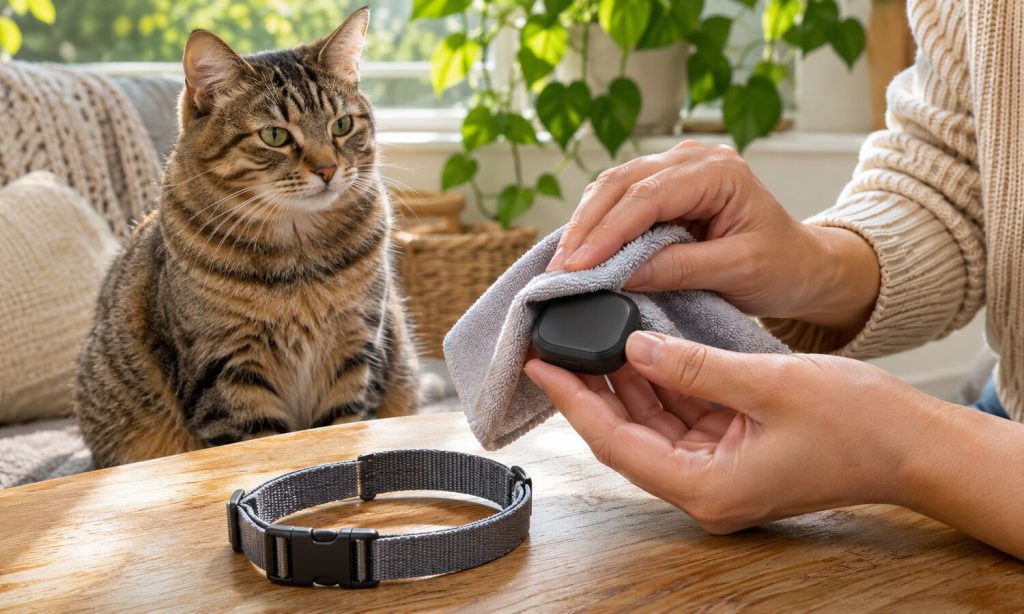
For routine exterior dust, start with a dry, soft microfiber cloth. If the manual permits a damp cloth, lightly moisten it with plain water, squeeze out excess moisture, and wipe the housing without flooding seams or charging contacts. Use a small soft brush to remove fur from a recess if approved. Avoid abrasive pads, strong solvents, bleach, oils, and direct chemical sprays unless the manufacturer specifically authorizes them. CDC guidance for cleaning electronics likewise stresses using a method appropriate to the surface, rather than assuming all equipment can be disinfected the same way.
Clean the separate collar or strap according to its own material instructions. A washable nylon strap may tolerate mild soap and rinsing, while leather, coated fabric, and electronic-integrated collars may not. Allow every washable part to dry completely before reassembly. Never point a hot hair dryer at a battery or sealed housing. Residual moisture trapped under a mount can encourage odor, irritation, or corrosion. If a collar smells bad despite cleaning, shows frayed stitching, or has a weak closure, consider replacing that worn part rather than continuing to scrub it.
Take extra care around charging points
Unplug the charger and do not clean a device while it is powered by a cable. A dry, soft cloth may remove loose dust from exposed contacts; follow the manual for any approved contact-cleaning method. Do not scrape pins with metal, pour liquids into a port, or use a wet cotton swab in an opening. Check that the charging surfaces are completely dry before reconnecting power. If contacts appear badly corroded or a cable sparks, feels unusually hot, or fails to seat, stop charging and seek manufacturer support.
Check charging behavior after reassembly in a safe location. A healthy charge cycle should follow the manufacturer’s normal indicators without excess heat or unusual odor. Do not improvise third-party connectors or leave a damaged charging cable in use. Battery life may gradually decline over time, but sudden capacity loss can signal damage. Track the change and consult the maker’s support instructions. Since a tracker often carries a location history, protect the account login and remove device access before selling, recycling, or transferring ownership.
Prevent Wear Between Cleaning Sessions
A brief inspection after muddy, wet, or heavily wooded outings is usually more useful than a rigid weekly deep-cleaning ritual. Wipe off visible dirt, check the mount, and inspect the cat’s neck. For indoor cats, periodic checks may be enough. A tracker that is unusually heavy for a small cat or repeatedly snags on furniture may need a different mounting approach. Our discussion of GPS trackers for cats covers the distinction between satellite-connected and proximity-based devices; cleaning cannot compensate for a tracking technology that does not fit your needs.
Use the tracker as a supplement to identification, not the only recovery plan. A collar can fall off, the battery can die, and coverage can fail. The American Veterinary Medical Association explains that microchips provide permanent identification but do not track location. Keep your cat’s microchip details and contact information current. For outdoor wear, review outdoor cat collar safety considerations. A secure, cat-appropriate attachment should also avoid creating an unacceptable snagging hazard. If the manufacturer lacks a safe solution for your cat, leaving the device off is reasonable.
Storage and software matter too
When the tracker is not in use, wipe it clean, dry it, and store it in a cool, dry place away from direct heat and pets. Follow the battery’s storage-charge guidance, especially for a long break. Avoid leaving the unit in a hot car or exposed winter shed. Store straps flat and avoid crushing delicate clips under other equipment. Keep the charging cable and small fittings together in a labeled pouch, while preventing a cat from chewing cords.
Maintain the app and firmware through approved updates, and check location permissions, subscriptions, and contact details periodically. Test the tracker before a trip rather than discovering a dead battery at the trailhead. Confirm the correct device is paired to the right cat in a multi-pet household. If a reset or software update is needed, follow official instructions and back up any required settings. A spotless housing will not help if the account is inaccessible or the battery has not been charged.
Frequently Asked Questions
Every device has different seals and cleaning tolerances, so the manufacturer’s instructions remain decisive. These practical answers explain safe general boundaries for maintenance.
If your tracker is damaged, overheats, or has a swollen battery, stop using it rather than trying to repair it with household tools. That is a safety problem, not ordinary cleaning.
Can I wash a cat tracker under the tap?
Only if its specific manual explicitly permits that cleaning method. Water resistance alone does not prove that rinsing or soap exposure is safe.
What should I use on charging contacts?
Start with the manufacturer-approved dry method and keep power disconnected. Never use metal tools or spray liquid into a charging port.
How often should I clean a tracker?
Inspect after dirty outings and wipe when needed. More important than a fixed schedule is checking the mount, collar fit, and visible damage.
Can I disinfect the device with bleach?
Do not use bleach or solvents unless the manufacturer explicitly approves them. Harsh chemicals may damage seals or leave residues that contact your cat’s skin.
Should I keep the tracker on during bathing?
Remove it unless the device manual and your veterinary or grooming plan allow continued wear. Check the cat’s skin and dry both collar and mount before reattaching.
Final Words
Knowing how to clean a pet tracker for cats and keep it in good condition means choosing a gentle, model-specific method. Remove the unit from the cat, inspect it, wipe the housing conservatively, dry approved removable parts, and check charging and fit before reuse. Stop if you notice a damaged case, swollen battery, or irritated skin.
A well-kept pet tracker for cats can support your cat’s safety routine, but it cannot replace updated ID information or suitable collar fit. Set up small checks after outdoor activity and a longer review of the battery and app when needed. That simple routine is far less troublesome than discovering a broken clasp during an escape.