A camera mount can change how a riding helmet fits or behaves in an impact, so a generic action-camera strap or adhesive base should not be assumed safe for an equestrian helmet. Before attaching a helmet camera for horse riding, check the exact helmet manufacturer’s guidance and the rules for your activity or event. Use a helmet-mounted camera only when the helmet maker permits the specific mount and installation method. If no approved option exists, choose a camera position that does not modify the helmet and does not create a snagging or handling hazard. This guide explains how to assess compatibility, follow an approved installation, check fit, and review the setup before riding. Protecting the helmet’s intended function takes priority over recording footage.
Confirm that a camera is allowed
Start with the helmet label, owner’s manual, and current manufacturer guidance for your exact model and year. Ask the manufacturer directly if the instructions do not address cameras. Some helmet makers prohibit accessories or warn that adhesives, straps, or projections can affect impact performance, certification, or fit. Guidance for a bicycle, climbing, or motorsport helmet does not automatically apply to a riding helmet.
Also check the rules for the activity. Competition organizers may restrict or prohibit helmet cameras, even if the rider’s helmet manufacturer permits a particular accessory. The United States Equestrian Federation’s published protocol advises riders to consult the helmet manufacturer and notes that organizers may prohibit cameras. Rules can change, so check the current rulebook or event organizer before the day.
If the manufacturer does not approve a camera mount, do not drill, glue, tape, clamp, or strap a camera to the helmet. Avoid improvised brackets, lanyards, and tether lines unless the helmet maker explicitly approves them; an attachment can catch, add a projection, or affect how the shell interacts with the ground. A camera mount that feels tight is not necessarily compatible with a certified helmet.
Choose a compatible camera and approved mount
If an approved combination exists, verify that the camera’s size, weight, shape, and mounting hardware match the helmet maker’s guidance. A camera may add weight or a hard projection, and its position can affect balance or create a snag point. Do not assume that a mount designed for a different helmet model or year is suitable.
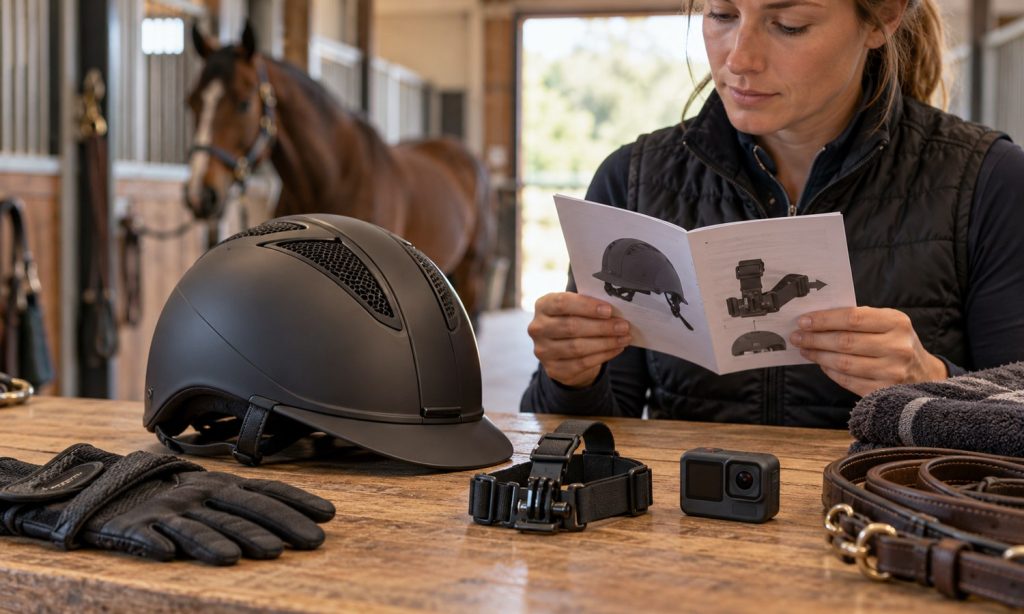
Read both the helmet and camera instructions before assembly. Use only the specified components and installation locations. Do not remove padding, alter the shell, block vents, interfere with the retention system, or cover helmet labels. If the prescribed mount uses a strap, route it exactly as the helmet and mount instructions show; ensure it does not cross, loosen, or obstruct the chinstrap or its buckle.
If the mount requires adhesive, use it only if the helmet manufacturer explicitly approves that adhesive and location. Some adhesives or solvents can damage helmet materials. Do not clean the shell with a solvent or apply paint, stickers, or tape near the mount unless the helmet maker confirms compatibility.
Install and inspect the approved setup
Work on a clean, dry surface and follow the model-specific installation sequence. Confirm each fastening is fully engaged as directed, and check that no component is loose, cracked, or damaged. Do not overtighten a strap or fastener; excessive force can deform parts or interfere with the helmet. If a supplied tool or torque specification is provided, use it exactly.
After installation, inspect the camera from all sides. It should not shift or wobble, obstruct your vision, interfere with the helmet’s fit system, or cover a safety label. Confirm that the helmet still sits and fastens as intended. If you need to change the helmet’s fit to accommodate the camera, remove the camera and ask the manufacturer or a trained helmet fitter for guidance.
Check battery, storage, and recording controls while off the horse. Do not handle the camera or adjust its angle while mounted. If an adjustment is needed, stop in a safe place, secure the horse, and ask for assistance if appropriate.
Test before a normal ride
Do not make a first camera setup during a demanding ride, on a trail with traffic, or at an event. If the helmet maker permits the setup, begin with a short, controlled session in a familiar environment. Have an experienced person check for movement, interference with vision, unusual pressure, or changes in helmet balance. Review a short recording from your normal riding position before extending use.
Stop using the mount if the helmet moves, the camera loosens, a strap rubs, the weight becomes distracting, or the camera catches on clothing or tack. Do not continue riding to see whether a loose mount stays in place. Follow the manufacturer’s replacement instructions after a fall, impact, or damage to the helmet or camera mount. Helmets should be inspected and replaced according to the maker’s guidance after an impact.
Consider a non-helmet camera position
If helmet mounting is not approved, consider whether a chest or other body-mounted option is allowed and can be worn without restricting movement, interfering with protective equipment, or creating a snag hazard. Check the camera’s own instructions and any event rules. A body mount is not automatically safer; its location and straps can still affect movement or catch on tack.
For filming lessons, a stationary camera or a companion filming from a safe location may avoid attaching equipment to the rider. Keep cameras, tripods, and people outside the horse’s path, and do not let filming distract the rider or handler. For product-category context, see the guide to a helmet camera for horse riding, then confirm whether the exact helmet and mount combination is approved.
Frequently Asked Questions
Can I use an adhesive action-camera mount on a riding helmet?
Only if the helmet manufacturer specifically approves that mount, adhesive, and location for the exact helmet. Otherwise, do not attach it.
Can I drill a hole or use a zip tie to secure a camera?
No, unless the helmet manufacturer explicitly provides that installation method for the model. Do not modify the shell or improvise an attachment.
Will a camera affect helmet certification?
It may affect the helmet’s tested configuration or approval. Ask the manufacturer and follow its current guidance before adding any accessory.
Can I wear a helmet camera in competition?
Check the current rulebook and event organizer. A competition may prohibit a camera even when the helmet manufacturer allows an approved mount.
What should I do if the camera moves while riding?
Stop in a safe place, secure the horse, and remove or correct the mount according to the approved instructions. Do not keep riding with a loose camera.
Final Words
Attach a camera to a riding helmet only when the manufacturer approves the specific camera, mount, and method for your exact helmet. Follow the supplied instructions, preserve the helmet’s fit and retention system, inspect the setup, and check current activity rules. Never drill, glue, or improvise a mount. If no approved helmet-mounted option exists, choose another recording approach that does not modify the helmet or interfere with riding. When comparing a helmet camera for horse riding, verify the helmet compatibility before considering image quality or recording features.